E-Way Bill Guide: Everything Indian Businesses Need to Know
A practical overview of the e-way bill system in India: what it is, when it is required, who generates it, how Part A and Part B work, validity, and links to every detailed guide.
Last verified against official sources: 16 Oct 2026
Drafted with AI assistance, edited and fact-checked by a person. How we write and check our guides
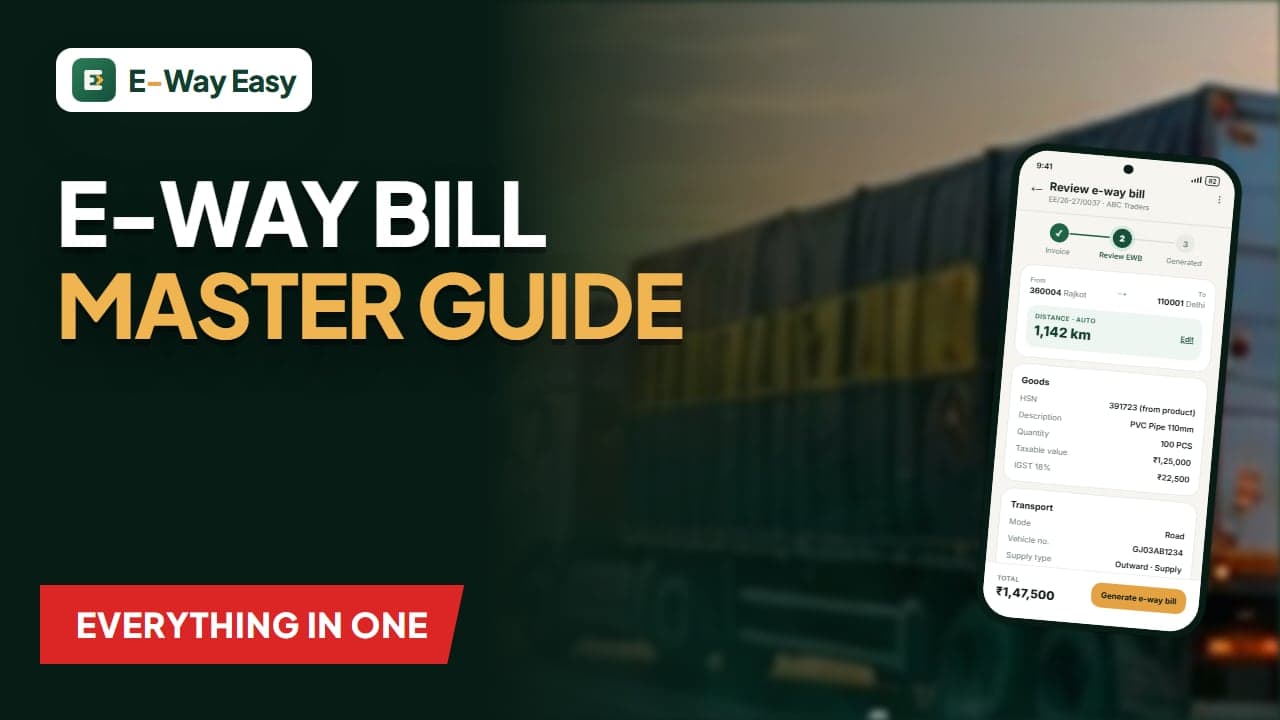
Table of contents
Quick answer: An e-way bill is the electronic record generated on the official system before most goods worth more than ₹50,000 are moved in India. The supplier, recipient or transporter generates it in Form GST EWB-01. It is valid for movement once Part B is filled, except in the 50 km same-state case.
If you sell, buy or transport goods under GST, you deal with e-way bills almost every week. This page is the overview: what the e-way bill is, when you need one, who makes it, and how it moves from generation to delivery.
Each section links to a detailed guide. For short answers to specific questions, use the E-Way Bill FAQ.
Note: E-Way Easy is an independent app and website. It is not a government portal and is not affiliated with GSTN or NIC. Always confirm the current law on the official e-way bill portal.
What an e-way bill is
An e-way bill (EWB) is an electronic document, generated in Form GST EWB-01 on the official system run by NIC, that must exist before most goods move. It records the supplier, recipient, goods, value and vehicle. The legal basis is Section 68 of the CGST Act and Rule 138 of the CGST Rules, 2017, read with Rules 138A to 138E.
Each e-way bill gets a unique number. It is 12 digits today; as reported in a GSTN advisory, new numbers become 14 digits from 1 January 2027, with no change to the rules (what the 14-digit change means).
The form has two parts:
| Part | What it contains | Who usually fills it |
|---|---|---|
| Part A | GSTIN of supplier and recipient, place of dispatch and delivery (PIN), document type, number and date, value of goods, HSN code, reason for transportation; Transporter ID and approximate distance are also entered here | Supplier, recipient or transporter |
| Part B | Mode of transport, vehicle number, and transport document number and date (LR, RR, airway bill or bill of lading) | Whoever arranges transport, often the transporter |
The driver must carry the invoice, bill of supply or delivery challan, plus the e-way bill as a printout, the EWB number, or an RFID device mapped to it. The number is what officers check, so make sure the driver has it, not just a blurry photo of the printout.
When an e-way bill is required
An e-way bill is generally required when goods move and the consignment value exceeds ₹50,000. Consignment value is the taxable value plus GST, excluding exempt supplies on the same invoice. Some movements need one at any value, and goods listed in the Annexure to Rule 138(14) need none.
- Above ₹50,000 consignment value: e-way bill required.
- Irrespective of value: inter-state movement of goods by a principal to a job worker, and inter-state transport of specified handicraft goods by a person exempt from registration.
- Not required: goods and situations in the Annexure to Rule 138(14), such as non-motorised conveyance, certain exempt goods, and goods moving from a port, airport, air cargo complex or land customs station to an ICD or CFS for customs clearance.
Some states have notified a higher threshold for movement within the state. Check your state's notification before relying on any number other than ₹50,000.
The movement does not have to be a sale. Stock transfers, job work, supply on approval, sales returns and goods sent for exhibition can also need one, usually against a delivery challan.
Who generates it
The e-way bill is generated by the registered supplier (consignor) or the recipient. If neither has generated it and the value is above the threshold, the transporter must generate it before the goods move. An unregistered transporter can enrol on the portal to get a Transporter ID (TRANSIN).
| Situation | Who generates |
|---|---|
| Registered supplier sending goods | Supplier (consignor) |
| Registered recipient arranging the movement, or supplier is unregistered | Recipient |
| Neither has generated it and value exceeds threshold | Transporter, before movement |
| Unregistered transporter | Enrols on the portal for a Transporter ID (TRANSIN) |
A common split: the seller fills Part A and enters the transporter's ID, and the transporter adds or updates Part B. If you leave the Transporter ID blank, the transporter cannot update Part B for you. Responsibilities are explained in the e-way bill rules guide.
How generation works, in short
Generating an e-way bill means filling Part A from your invoice or challan, adding Part B with the vehicle or transport document, and submitting on the official system. You can use the web portal, SMS, the official mobile app, a bulk JSON upload, an authorised API integration, or the IRN if you are on e-invoicing.
- Prepare the tax invoice, bill of supply or delivery challan.
- Log in to the official e-way bill portal, or use another official mode.
- Fill Part A from the invoice: GSTINs, document details, HSN, value, tax, PIN codes, distance.
- Fill Part B: vehicle number, or transport document number for rail, air or ship.
- Submit, note the EWB number and share it with the driver.
Two checks save the most rejections. The base document cannot be dated more than 180 days before generation (from 1 January 2025, as reported by GSTN), and the distance you enter can be at most 10% above the portal's PIN-to-PIN figure. The full flow is in How to Generate an E-Way Bill.
Validity at a glance
E-way bill validity is 1 day for every 200 km or part of it for normal cargo, and 1 day for every 20 km or part of it for over-dimensional cargo. Validity is counted from when Part B is first entered, and each day ends at midnight. The first day ends at midnight of the day after generation.
| Type of cargo | Validity |
|---|---|
| Normal cargo | 1 day per 200 km or part thereof |
| Over-dimensional cargo (ODC) | 1 day per 20 km or part thereof |
Example (illustrative): a 450 km road movement of normal cargo gets 3 days, because 450 km is two full 200 km blocks plus a part block. Timestamped examples are in the validity guide.
The e-way bill lifecycle
An e-way bill moves through a fixed sequence: generation, movement with Part B, possible vehicle updates, and then one of extension, cancellation or delivery. Each action has its own time window, and missing a window usually means generating a fresh bill. The table shows who acts and when.
| Stage | What you can do | Time window |
|---|---|---|
| Generated | Part A filled; Part B added for movement | Validity starts when Part B is first entered |
| In transit | Update Part B (vehicle change, trans-shipment) or change transporter | Any number of times while valid |
| Wrong Part A | Cancel and generate a new e-way bill; Part A cannot be edited | Within 24 hours of generation, and not after verification in transit |
| Running late | Extend validity, for exceptional circumstances such as accident or natural calamity | 8 hours before to 8 hours after expiry; total cap of 360 days from generation (from 1 January 2025) |
| Delivered | Recipient accepts or rejects | Within 72 hours or before delivery, whichever is earlier; otherwise deemed accepted |
Set a reminder for the extension window. Once 8 hours after expiry have passed, the bill cannot be extended, and the goods need a fresh e-way bill before they move further. For fixing errors, see E-Way Bill Correction.
Penalty in plain terms
Moving goods without a valid e-way bill can lead to detention or seizure of the goods and the vehicle, and a penalty under Section 129 of the CGST Act. The general penalty provisions of Section 122 can also apply. The amounts can be substantial next to the few minutes it takes to generate a correct bill.
"Valid" means the bill matches the movement. If the goods shift to another truck and Part B still shows the old vehicle, the bill no longer matches what is on the road, so update Part B before the switch.
Every guide in the Learning Centre
The Learning Centre splits the e-way bill system into focused guides, from generation and documents to validity, distance, cancellation, correction and bulk uploads. Start with the guide that matches your task today. Use the FAQ when you need a one-line answer, and this page when you need the overall picture.
| Guide | What it covers |
|---|---|
| How to Generate an E-Way Bill | The full portal flow, other generation modes, and how the E-Way Easy app workflow fits in |
| Documents and Data Required | Every document and data field you need, split into Part A and Part B, with a checklist |
| E-Way Bill Rules (Rule 138) | The legal basis, thresholds, exemptions and responsibilities, rule by rule |
| E-Way Bill Validity | How validity is calculated, extended and when it expires, with timestamped examples |
| Distance Rules | PIN-to-PIN distance, the 10% margin, the 4,000 km limit and the 50 km Part B exemption |
| How to Cancel an E-Way Bill | The 24-hour rule, when cancellation is blocked, and what to do instead |
| E-Way Bill Correction | What can be updated, what cannot, and the cancel-and-regenerate route |
| Bulk E-Way Bill Generation | The official bulk tool, data preparation, validation errors and safe retries |
| Common Errors and Fixes | Everyday problems explained in plain words with practical fixes |
| E-Way Bill vs Sales Invoice | How the two documents differ and how they work together |
| E-Way Bill FAQ | 30 common questions answered briefly |
Where E-Way Easy fits
The E-Way Easy Android app prepares the invoice and e-way bill in one flow, Invoice → Review EWB → Generated, and files through an authorised GSP on the official system using your own portal API login. Buyer details fill from the GSTIN, HSN fills from saved products, and distance comes from PIN codes, all editable.
The app supports Part B updates, extension, cancellation and consolidated e-way bills, and it is ready for the 14-digit numbers. It does not replace the rules on this page; the same checks apply.
Common mistakes to avoid
Most e-way bill problems come from a few repeat mistakes: misreading the threshold, forgetting non-sale movements, and letting deadlines pass. The list below is the short version. Each item links back to a section above, and the common errors guide covers portal error messages and fixes in detail.
- Treating ₹50,000 as the taxable value only, when consignment value includes GST.
- Forgetting that non-sale movements, such as stock transfer or job work, can need an e-way bill.
- Letting the truck leave beyond 50 km with Part A only.
- Not updating Part B when goods shift to another vehicle mid-route.
- Waiting more than 24 hours to cancel a wrong bill.
Quick action checklist
- Check which of your regular movements cross ₹50,000 of consignment value, including GST.
- List your non-sale movements (stock transfer, job work, returns) and how you document them.
- Decide who in your team fills Part A and who updates Part B.
- Put the 24-hour cancellation and 8-hour extension windows on your dispatch desk.
- Check that your software or app is ready for 14-digit numbers from 1 January 2027.
Not sure whether a particular consignment needs a bill? Run it through the free e-way bill eligibility checker for a quick first answer.
Official sources
Rules and procedures change through notifications and portal advisories. Before acting on any point here, check the official e-way bill portal, its user documentation, and the CGST Act and Rules on CBIC GST. For complex cases, speak to a qualified tax professional.
Frequently asked questions
What is an e-way bill in simple words?
It is an electronic document generated on the official e-way bill system before goods are moved. It records who is sending what, to whom, of what value and in which vehicle, in Form GST EWB-01 under Rule 138 of the CGST Rules, 2017.
Is an e-way bill the same as an invoice?
No. The invoice records the sale; the e-way bill records the movement of goods and is built from the invoice data. The driver carries both, and the two must match.
Do I need an e-way bill if I deliver in my own vehicle?
Yes, if the movement otherwise needs one. The rule depends on the goods, value and movement, not on who owns the vehicle. Enter your own vehicle number in Part B.
Can I generate an e-way bill from my phone?
Yes. The official system supports the web portal, SMS and an official mobile app, and authorised integrations exist too. Third-party apps can help you prepare the data, but the e-way bill itself is generated only on the official system.
Is the e-way bill number changing in 2027?
As reported in a GSTN advisory of 4 November 2026, e-way bill numbers move from 12 to 14 digits from 1 January 2027, and consolidated e-way bill numbers from 10 to 11 digits. The rules themselves do not change; confirm on the official portal.
Sources and references
- E-Way Bill System (official portal)ewaybillgst.gov.in
- E-Way Bill 2.0 portalewaybill2.gst.gov.in
- E-Way Bill user documentationdocs.ewaybillgst.gov.in
- CBIC GST (Acts and Rules)cbic-gst.gov.in
- GST portalwww.gst.gov.in
This article is general information, not tax or legal advice. GST and e-way bill requirements depend on the transaction, applicable notifications and state-specific provisions. Check the official portals before you rely on it.
Editorial update history
- Rewritten as the overview hub: direct answers per section, a lifecycle table, the 14-digit number change from January 2027, and Part A / Part B fields aligned with the official form.
- Clarified that the e-way bill rule covers goods generally, not only taxable goods.
- First published.
Written by
Bhavesh AkabariBhavesh Akabari writes and edits the E-Way Easy guides on e-way bills, GST invoicing and day-to-day compliance workflows for Indian manufacturers, wholesalers and traders. Drafts are prepared with AI assistance; he edits each one and checks the facts against official GST and e-way bill sources, and every compliance article carries a "last verified" date.
How we create contentMore e-way bill guides
How to Generate an E-Way Bill: Complete Process
Step-by-step process to generate an e-way bill on the official portal: login, Generate New, transaction type, sub-type, document details, Part A, Part B, submit and print. Also covers SMS, app, API and IRN-based generation.
E-Way Bill Rules in India (Rule 138 Explained)
Rule 138 of the CGST Rules explained in plain language: legal basis, the ₹50,000 threshold, consignment value, who generates, Part A and Part B, exemptions, validity, cancellation, acceptance, verification and penalties.
Documents and Data Required for E-Way Bill Generation
Documents and data you need to generate an e-way bill, split into Part A and Part B, plus what the driver must carry and a printable checklist.
E-Way Bill FAQ: 30 Common Questions Answered
Short, practical answers to 30 common e-way bill questions on applicability, generation, Part A and Part B, distance, validity, cancellation, corrections, penalties and recent changes.